
Doha Hamad International (OTHH)
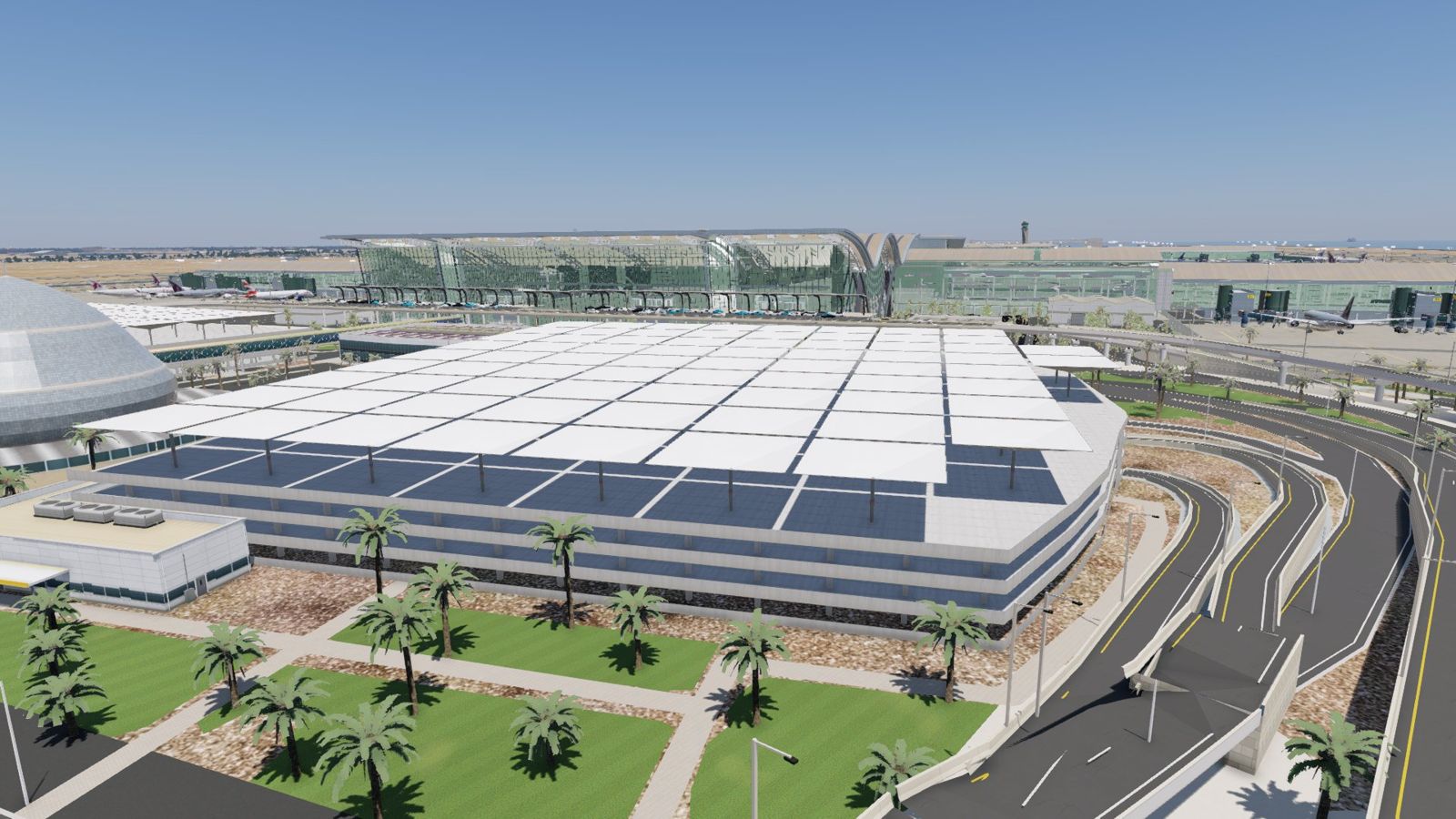
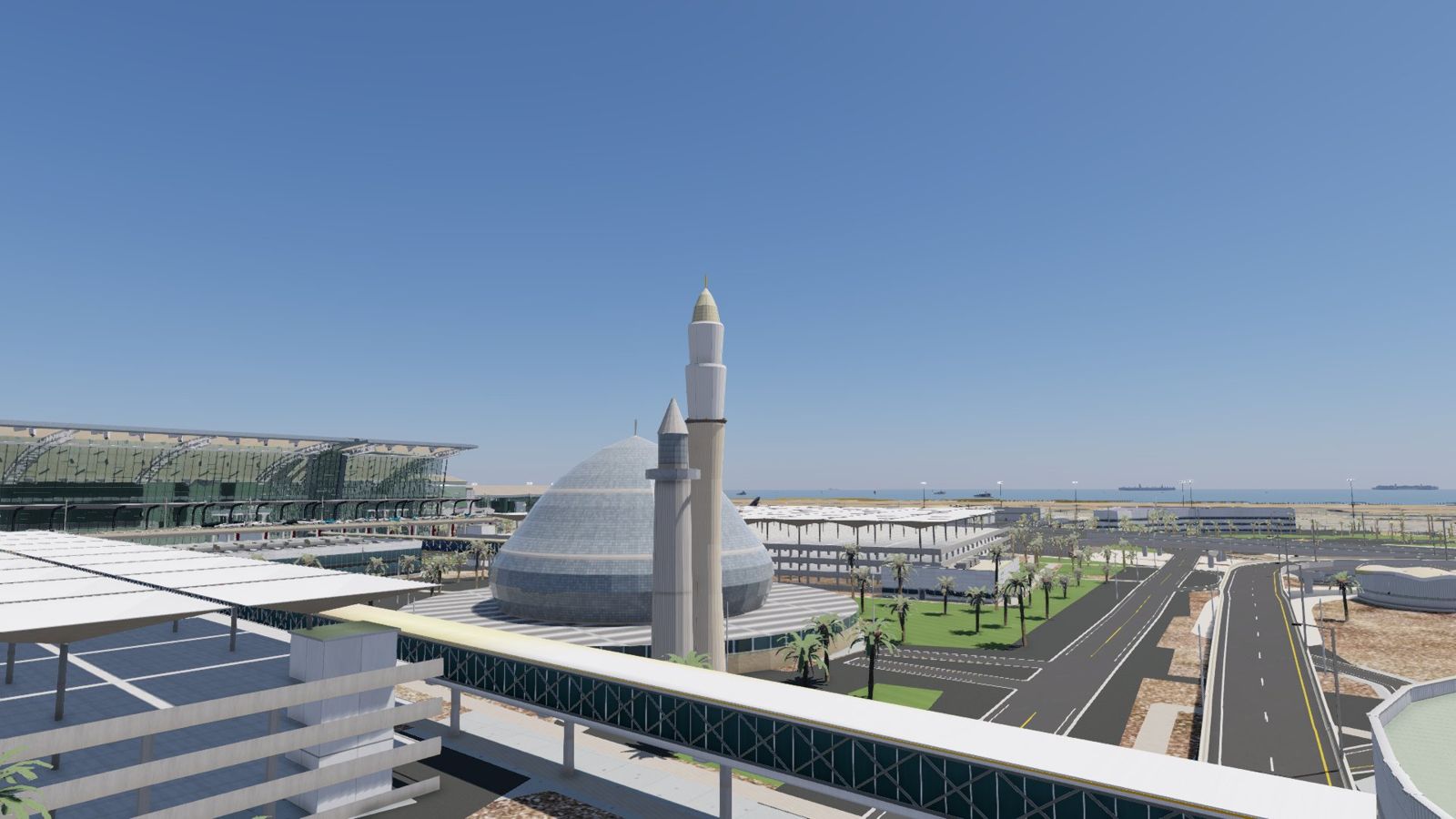
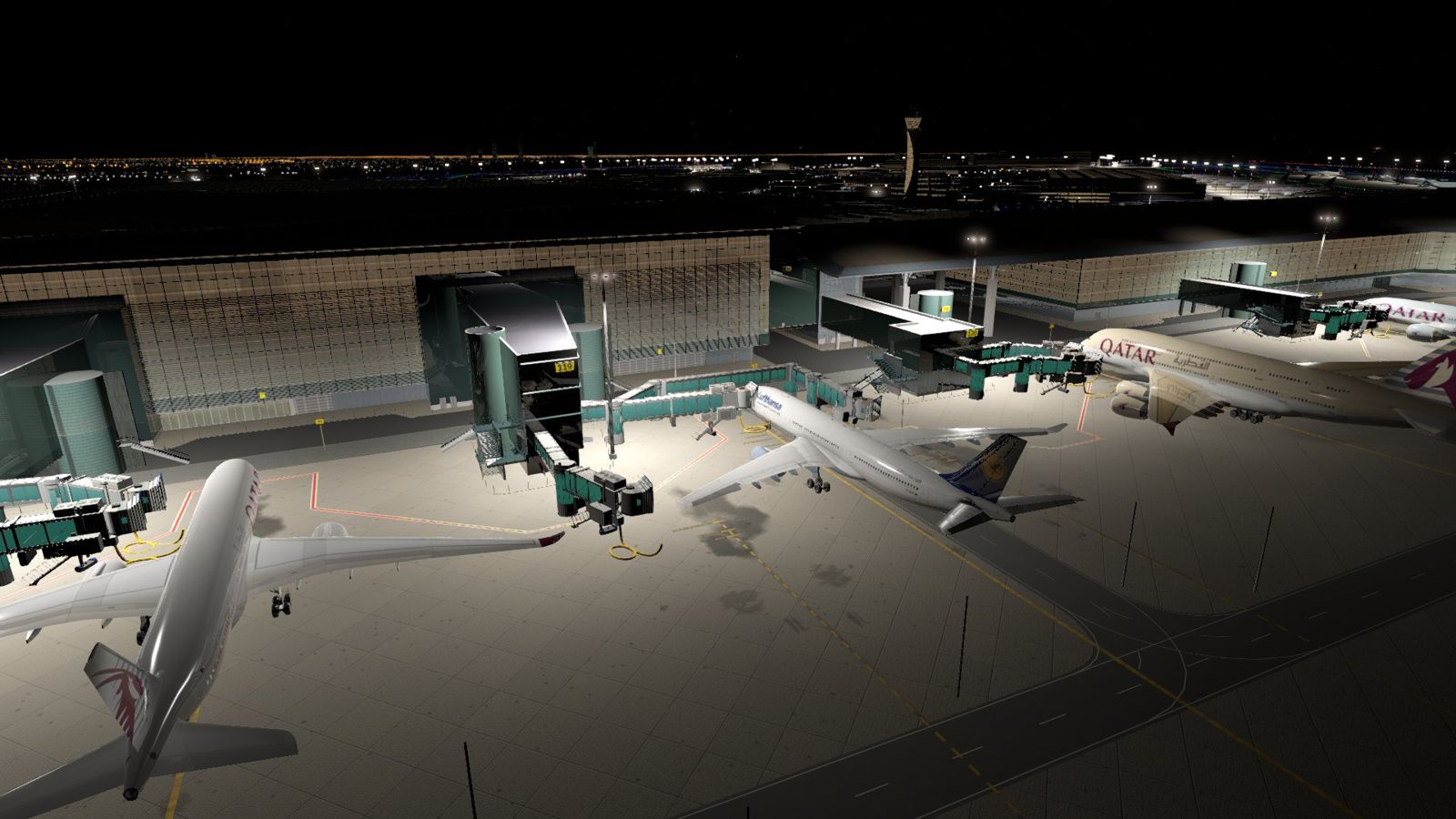
A realistic Doha Hamad International for X-Plane 12, built from real photos and video: the full terminal and concourses A to E, our own jetways, moving traffic and people, worn aprons and full night lighting. Light on your PC, tested on a 6 GB graphics card.
Sold through simMarket. Direct purchase on igtei-sim.com is coming.
Early-buyer offer
Buy now and you get the Professional version (v1.3) free when it's out, plus the OTHH add-ons that come with it: our Follow-Me car and ground services. After the Professional release those add-ons will be sold separately.
Screenshots
Features
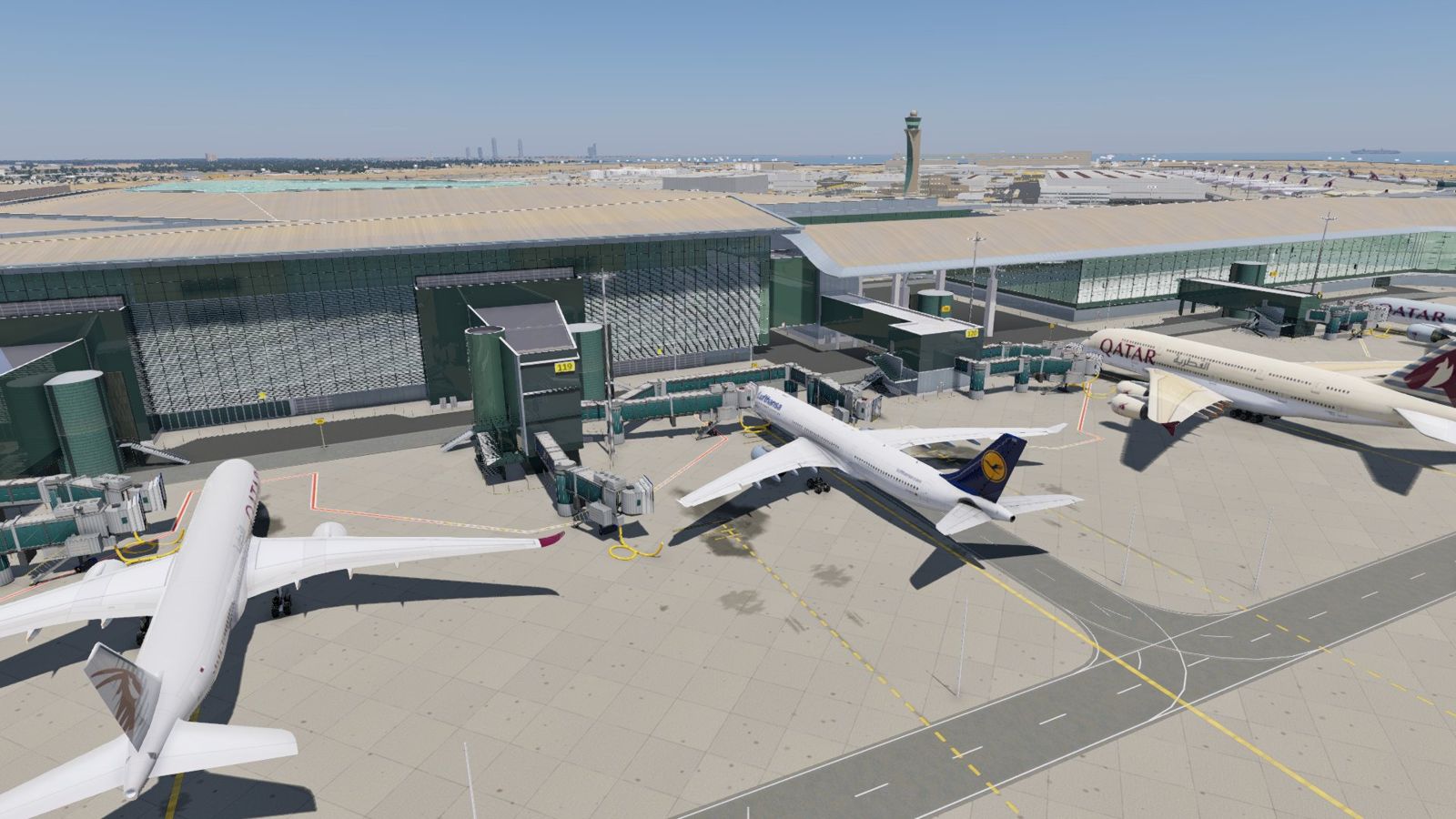
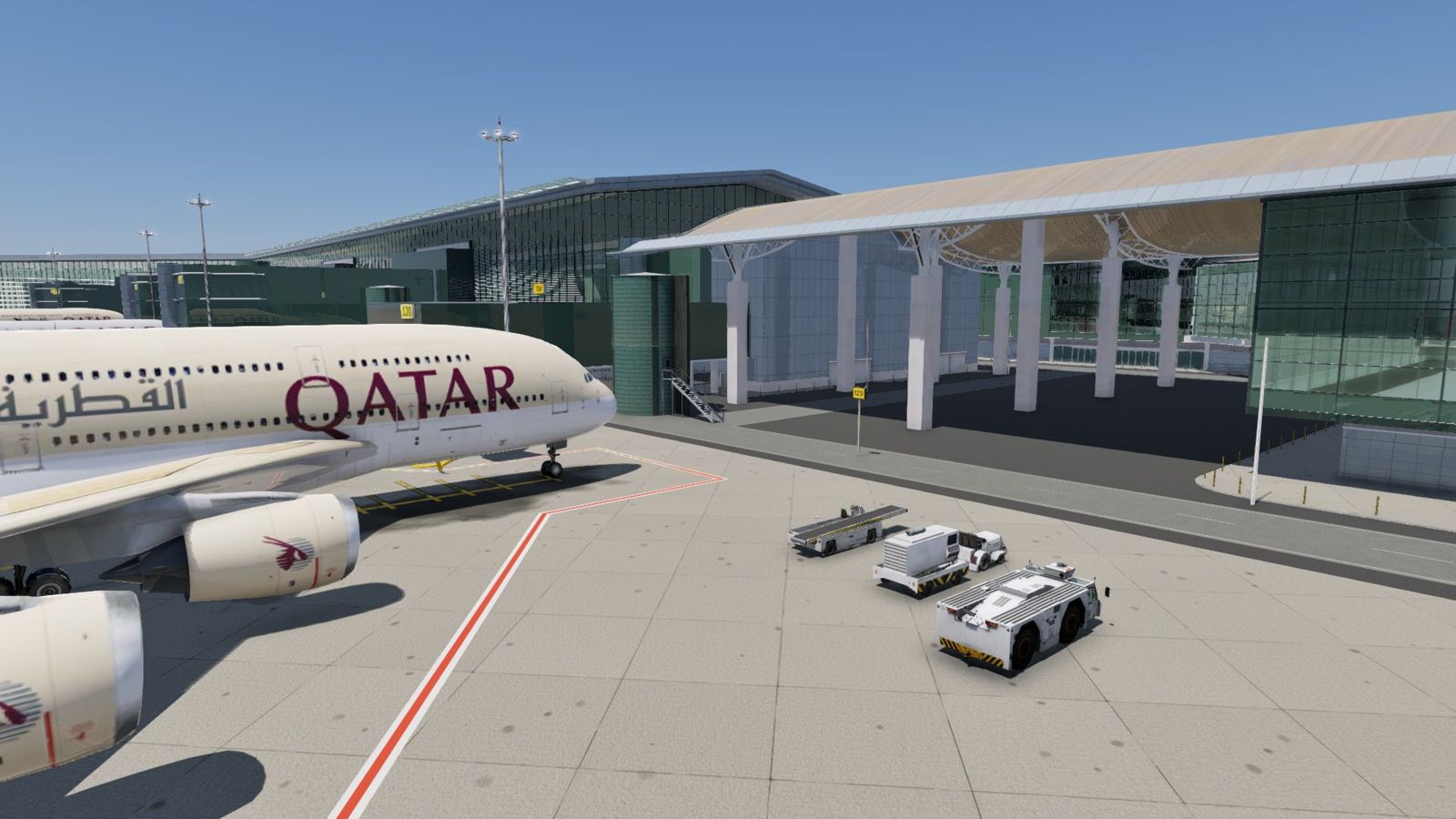
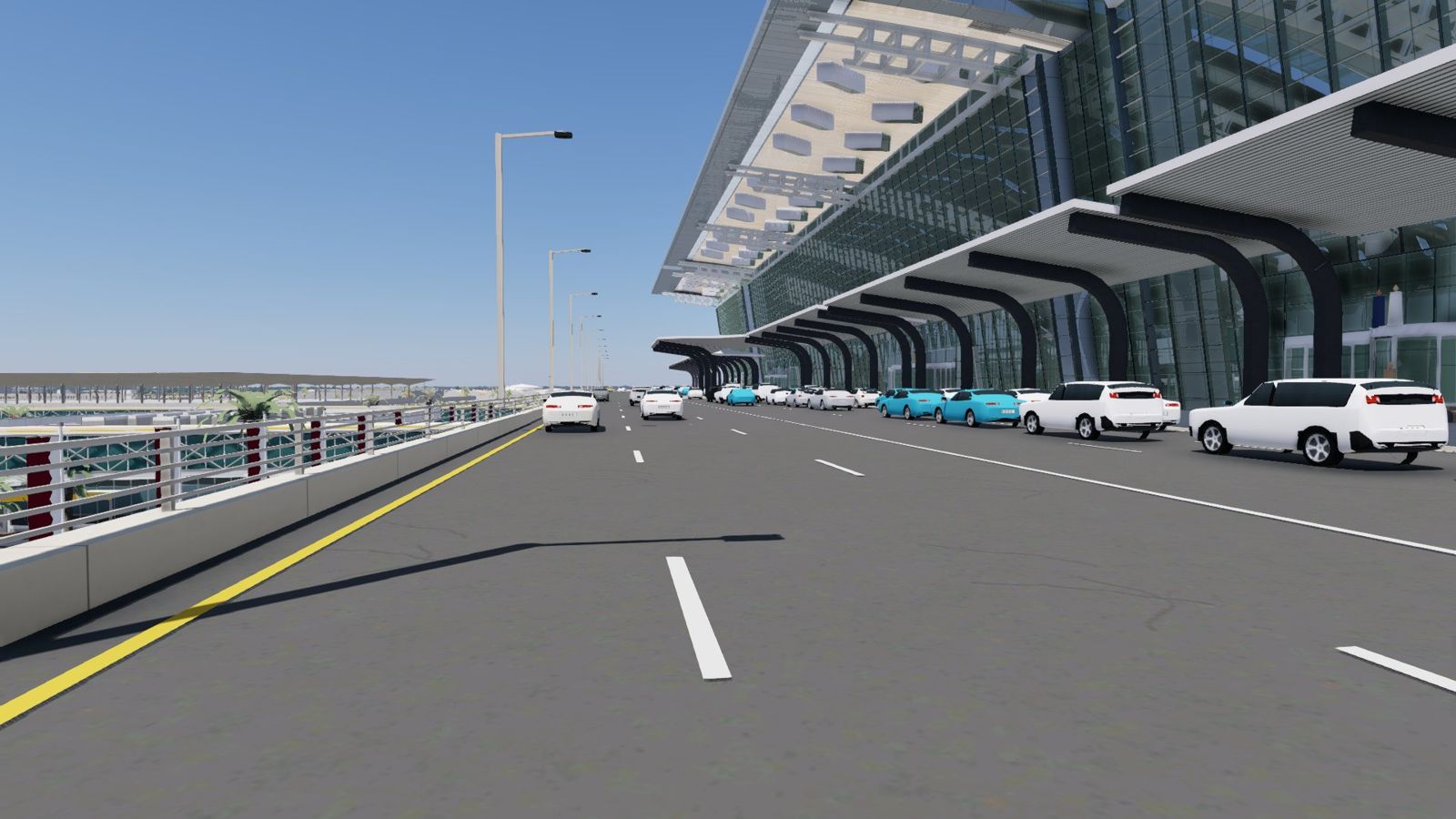
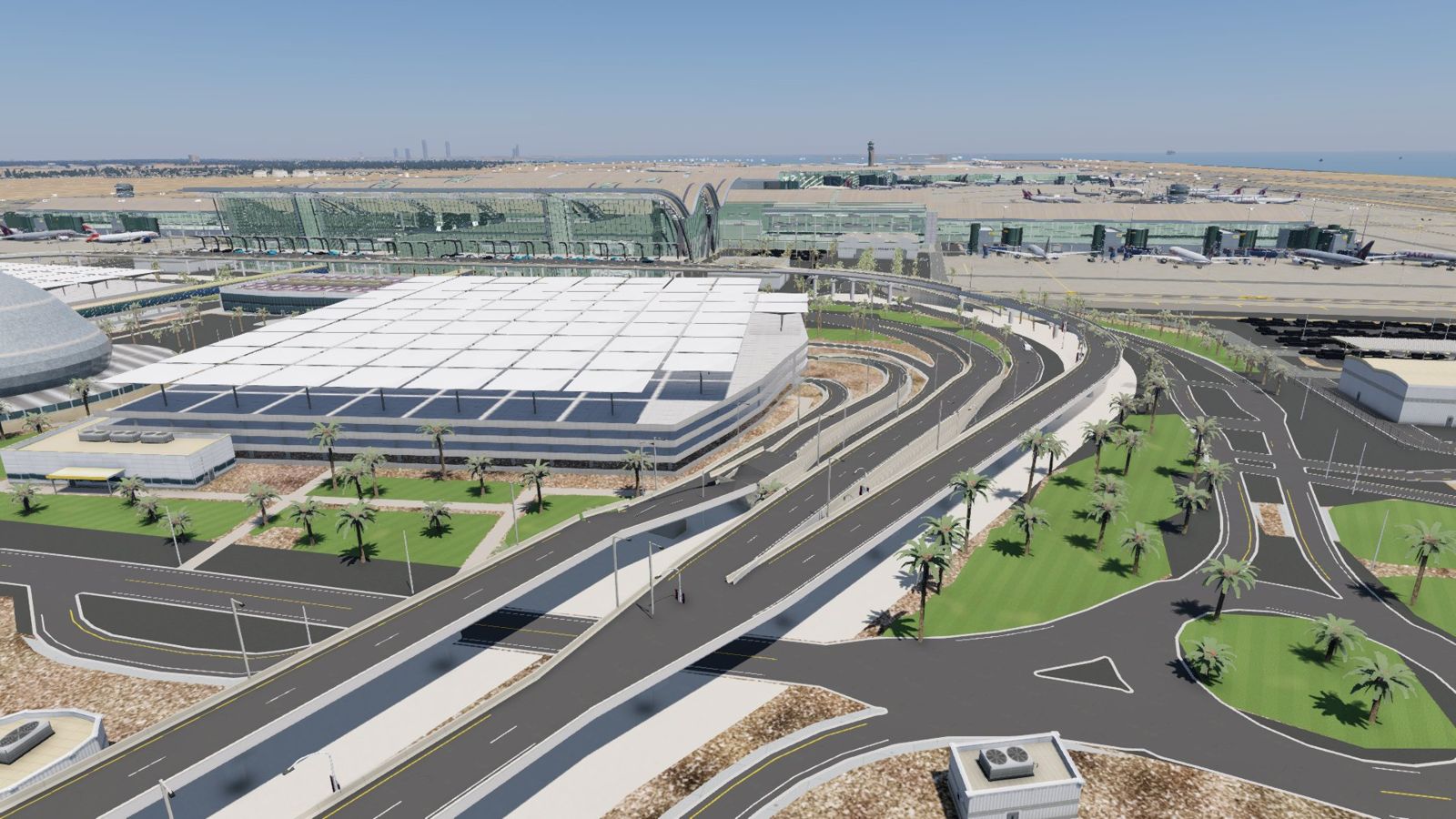
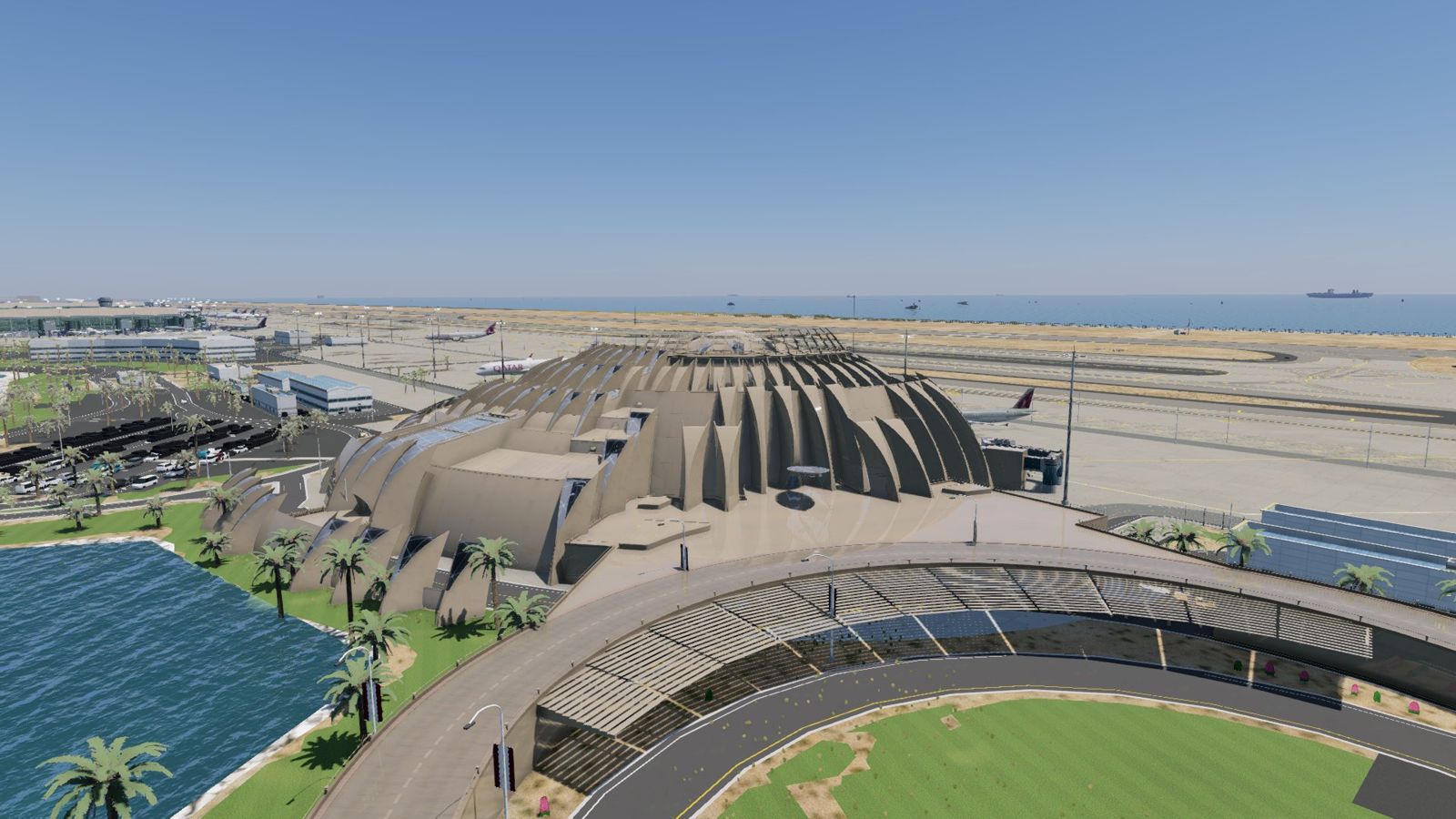
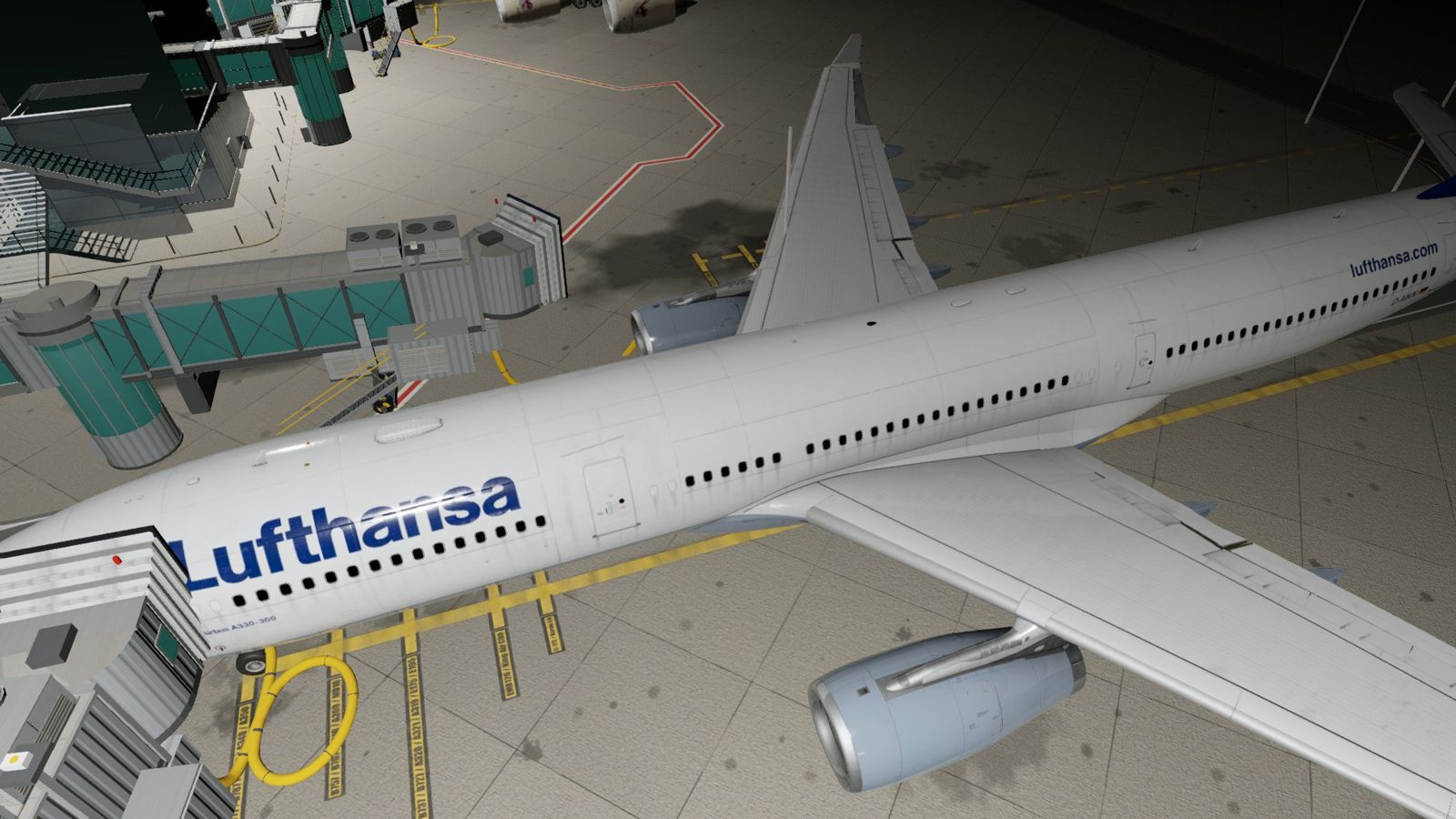
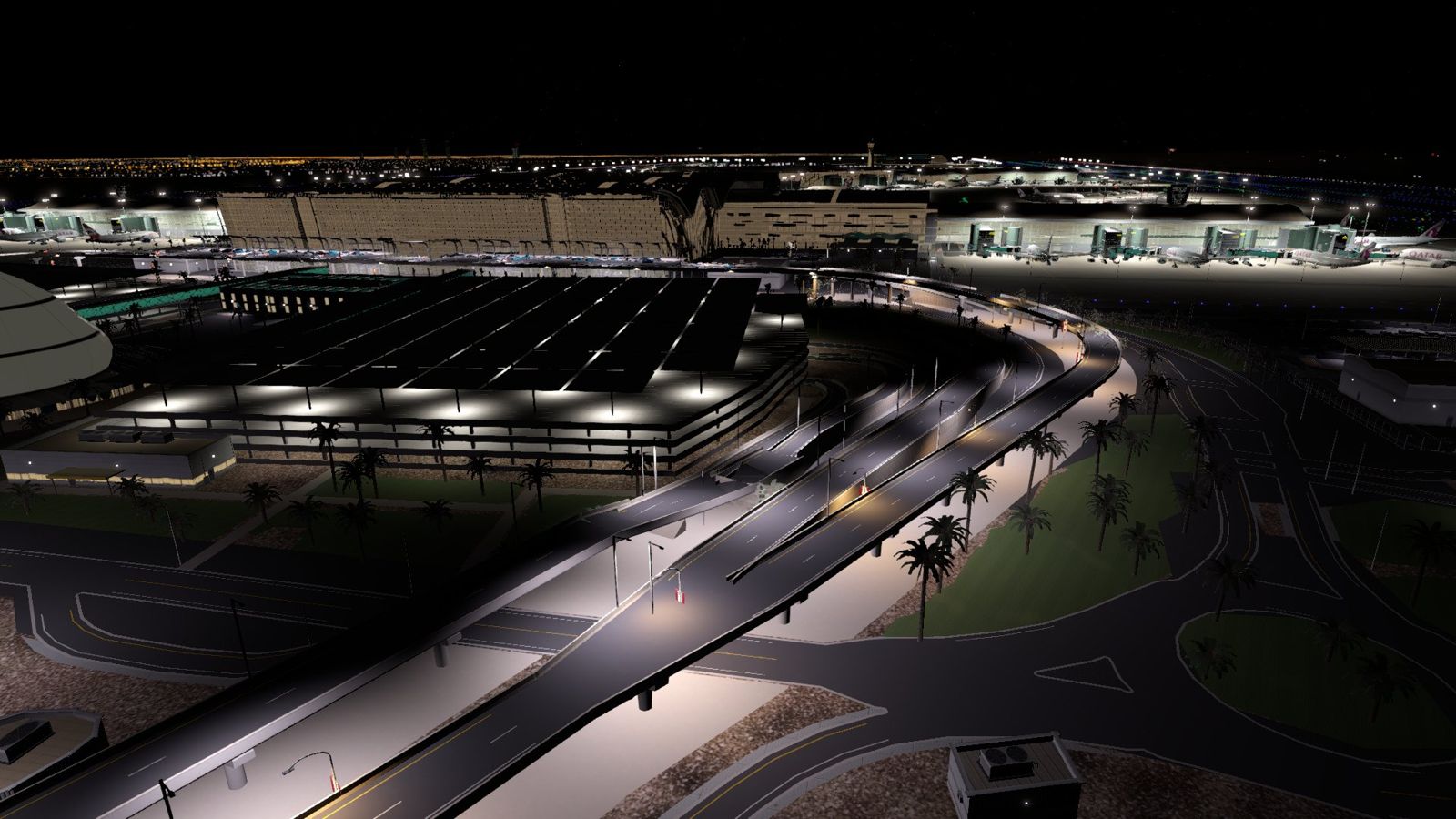
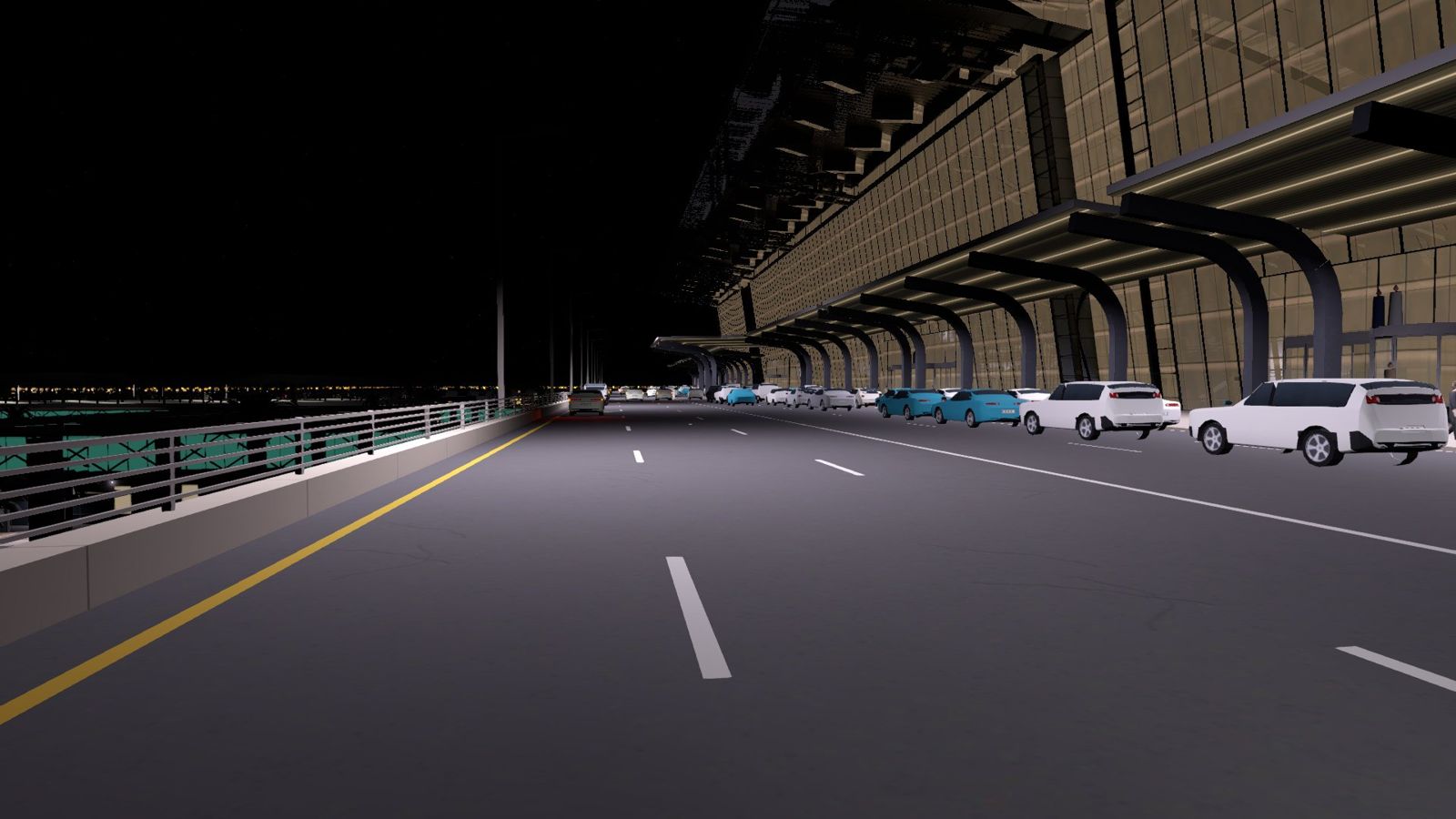
- Complete terminal: departure hall with its wave roof, concourses A to E, the Orchard hub, gate blocks and the departures deck with its arched canopies
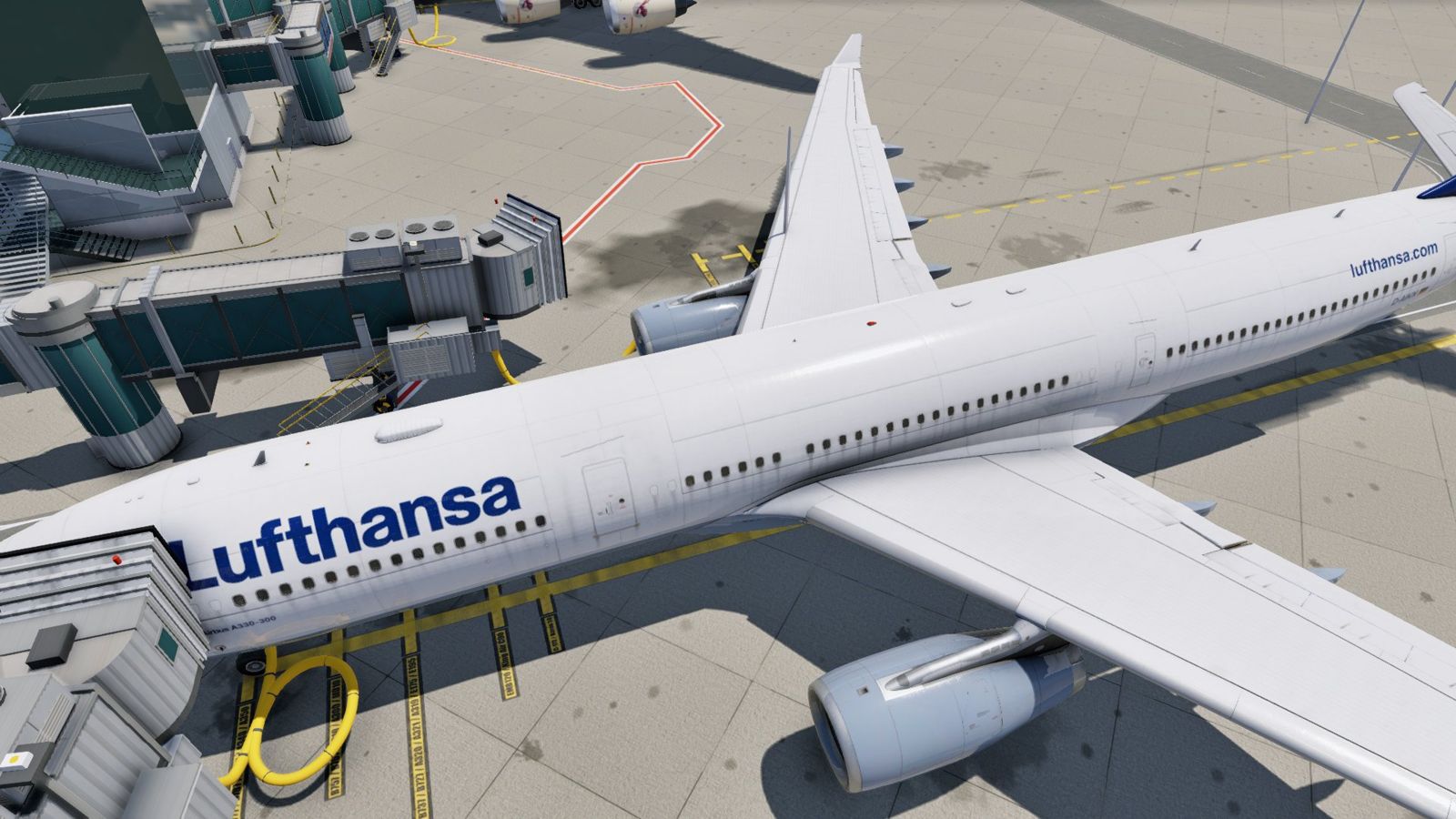
- Our own jetways, matched to the real stands
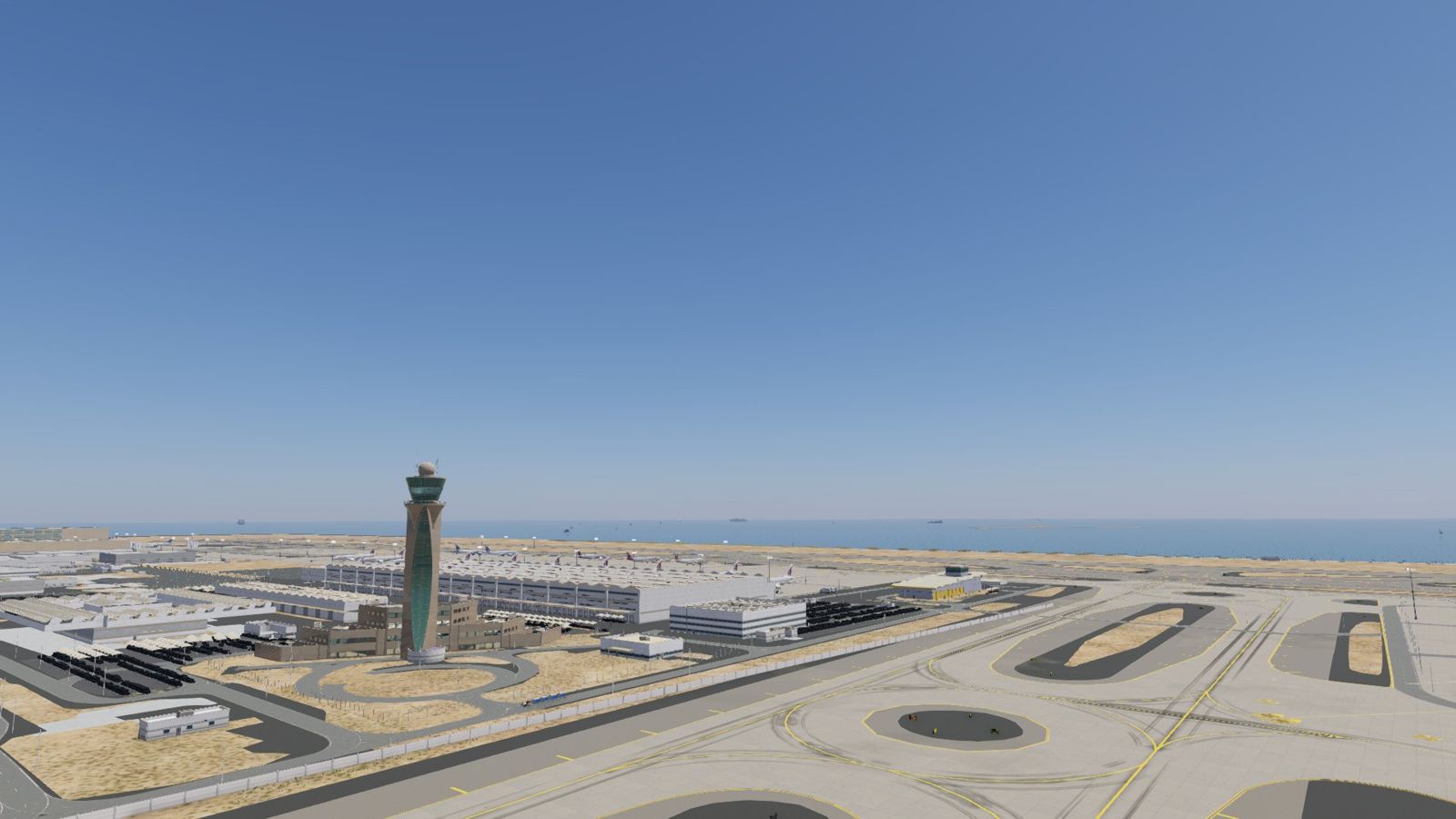
- 260+ support buildings modelled by us on their real footprints: cargo, hangars, fire station, utilities, offices, mosque, car parks
- Moving traffic on the landside roads and bridges, people on the kerbs, and thousands of parked cars
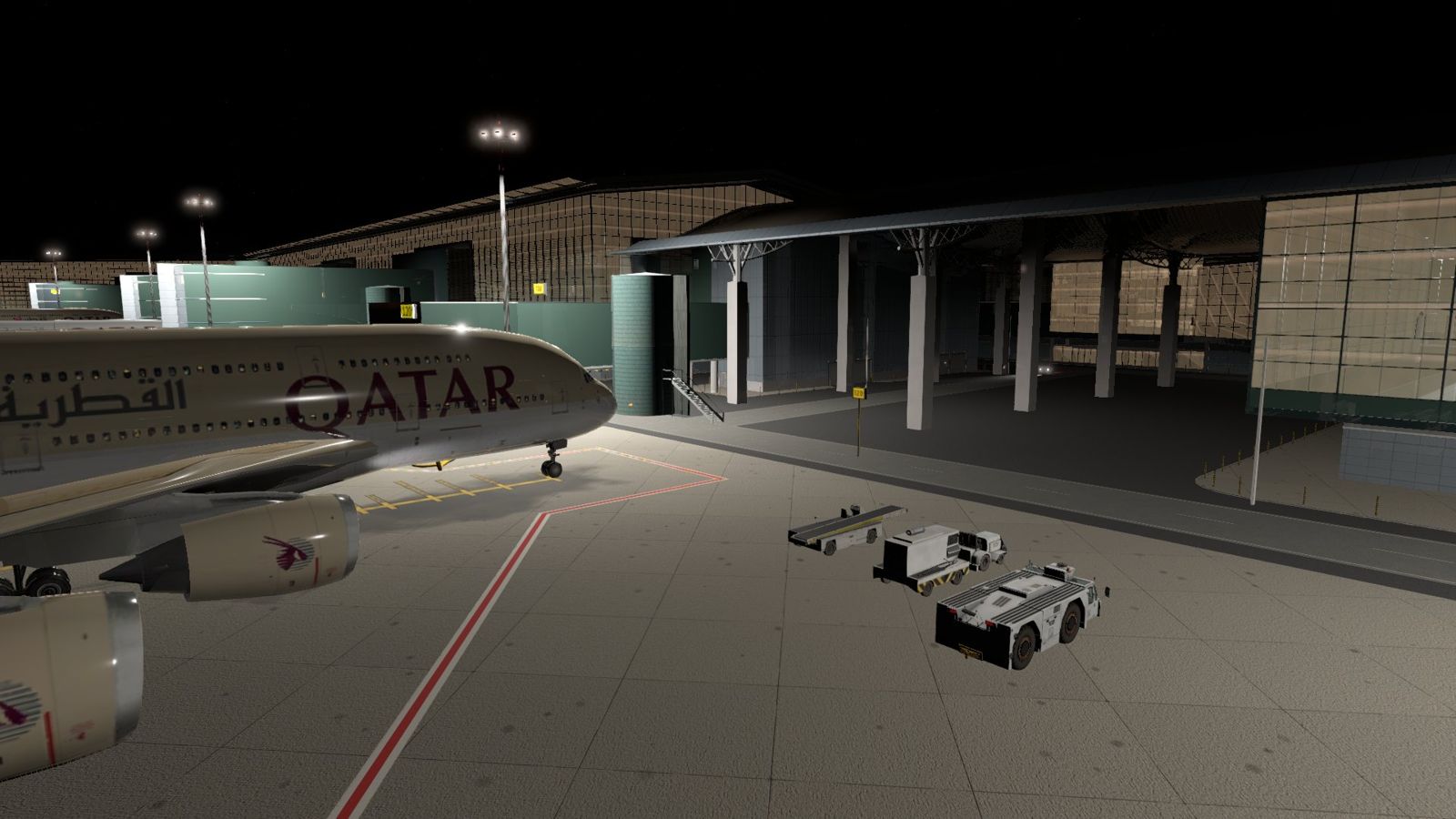
- Worn aprons: tyre marks, engine soot, oil stains and every stand weathered differently
- Night lighting: apron masts, lit bridges and entrance roads, car parks, hangars, LED-lit departures canopy
- Traffic and people setting: Off / Low / Medium / High, so it runs on your machine
- Add-on Pack (Windows): IGTEI Follow-Me car after landing and ground services at remote stands
- All buildings, jetways, landside cars and people are our own work. No third-party objects.
Requirements
- X-Plane 12 (latest version)
- Windows, macOS or Linux (the Add-on Pack is Windows only)
- 6 GB VRAM or more. Tested on a GTX 1660 SUPER 6 GB: about 4.3 GB used at the gates
- Download about 530 MB, disk space about 1.8 GB
- Needs the free IGTEI Airport Library (same serial)
Delivery and installation
Every copy is prepared individually for its owner. After purchase, enter your serial at download.igtei.com and download three files: the airport, the IGTEI Airport Library and the Add-on Pack. Delete any older IGTEI OTHH folder first, then unzip everything into X-Plane 12/Custom Scenery. The Add-on Pack folder goes into the airport's plugins folder.
How we build
Built from reality, tested on real hardware
- Every building, jetway and vehicle is modelled by us from real photos and video of the airport, then checked side by side against the real thing. If it doesn't match, it doesn't ship.
- No default or third-party objects. Everything you see is IGTEI's own work.
- Tested on a modest PC: GTX 1660 SUPER (6 GB) at 1080p, about 4.3 GB VRAM at the gates.
- People, vehicles and traffic can be set to Off, Low, Medium or High, so it runs on your machine.
You help decide what comes next
All updates are free for owners, and we keep improving it. What goes into each one comes from you. Found something that doesn't look right, or want something added? Tell us at support@igtei-sim.com or in our X-Plane.org thread. Ideas that make it in are credited in the changelog.
Suggest an improvementRoadmap
Done: v1.1
New ground layer, every support building rebuilt, new road network with moving traffic, apron vehicles, much better night lighting, a density setting and the Add-on Pack.
Next: v1.3, the Professional version
Night lighting on the landmarks (control tower, Emiri terminal, mosque), rubber hoods on the jetways, car-park light poles and more polish. Free for everyone who owns the airport.
Later: Hi Pro
A bigger step after the Professional version. Owners of the airport get it free.
Changelog
v1.1 (October 2026)
This is an interim update. We didn't want you flying the first version any longer than needed, so here is everything that's ready now.
Needs IGTEI Airport Library v1.1 (separate download, same serial). Before installing, delete every old IGTEI OTHH airport folder.
Plugins
- The airport now carries a small settings plugin (Plugins > IGTEI Doha (OTHH) > Settings): people / traffic density and the apron service vehicles, plus a check that the library is installed.
- Follow-Me, ground services and the ambience sound moved into the separate IGTEI OTHH Add-on Pack (Windows only for now). The airport runs fine without it.
Ground and apron
- New ground layer for the whole airport: aprons, taxiway shoulders, service yards and landside paving redrawn at airport scale, with own sign and marking atlases.
- Apron wear and dirt toned to match the real concrete.
Buildings
- Every support building rebuilt as its own IGTEI model (cargo, MRO and hangars, fire stations, catering, fuel farm, offices, car parks, utility buildings), plus about 116 buildings that were missing.
- Container yards, fuel tanks, compound walls and fences, rock revetment along the water.
- Qatar flags and street banners now show the proper Qatar flag.
Landside
- New road network with flyovers and the elevated departures road, rebuilt from drive footage.
- Bridge piers now have hammerhead caps, bearing pads and formwork concrete.
- Moving road traffic with working head and tail lights at night; cars and taxis stopped at the departures kerb.
Life on the airport
- Ground vehicles drive the service roads (baggage trains, forklifts, trucks, fuel tanker).
- More service-truck destinations, so X-Plane's own ground services actually have somewhere to go.
- Density setting: Off / Low / Medium / High.
Night
- Roads, the departures deck, service yards and hangar aprons are lit (warm sodium on the expressways).
- Departures canopy underside has LED strip lighting.
- Hangar door floods now face the apron, and there are new high-masts in front of the hangars.
- Multi-storey car park roofs are evenly lit instead of a few hot spots.
- Billboard lights stay visible from far away, so the airport reads as a lit city on approach.
Performance
- Level-of-detail on most objects, compressed textures and fewer spill lights, aimed at mid-range PCs.
Fixes
- The crew car no longer parks under the jet bridge at gate 119.
- Removed a duplicate car texture and some leftover test files.
Suggested by our customers
Your ideas go here. Send them to support@igtei-sim.com.
v1.0 (October 2026)
First release.